2 minute(s) to read
WebGL or Computer Graphics
Presentation of my two computer graphics projects in Three.js
About WebGL
Computer graphics is the study of generating virtual images from 3D object models. It is an essential discipline for the entertainment industry (special effects, animated films, video games), industrial design (prototype creation and visualization), and virtual reality (flight and driving simulators, interactive virtual tours).
In terms of web programming, we use the WebGL standard: WebGL enables the display, creation, and dynamic management of complex 3D graphics within a client’s web browser window. It is currently implemented in most major modern browsers; however, as this implementation is relatively recent, the technology remains largely unknown to the general public.
Three.js
Three.js is a JavaScript library for creating 3D scenes in a web browser. It has the advantage of being usable directly within an HTML page after importing the library, making it easily accessible!
Its source code is hosted on the GitHub of its creator, mrdoob. :)
GLSL, Shaders, and Post-Processing
Have you ever wondered how those stunning, trendy 3D effects seen in modern video games—such as realistic water, HDR, or motion blur in racing games—are created? A large part of the answer lies in the use of shaders within 3D rendering. There are two main types: vertex shaders, which handle the processing of each object vertex, and fragment shaders, which process the color of each pixel on the screen.
OpenGL Shading Language (GLSL) is precisely the language used to program these shaders. With this GPU programming language, you can manipulate scene lighting and textures—making them look smoother or giving them a cartoonish style, for example. :D
Finally, to further enhance rendering quality, you can also use post-processing effects!
Post-processing effects are applied after the main Three.js rendering process is complete. Applying a global effect to the entire scene presents a challenge: shaders operate locally—vertex shaders only have information about the current vertex, and fragment shaders only know about the current pixel.
The concept behind post-processing is to first render the entire scene (or at least the object) into a texture, and then render that single texture to the screen while applying the post-processing effect.
Do you have any examples of WebGL work?
Sure! During my Computer Science degree, I had two projects to submit:
- A lab assignment where I rendered the solar system: https://github.com/FredericCanaud/SolarSystemThreeJS
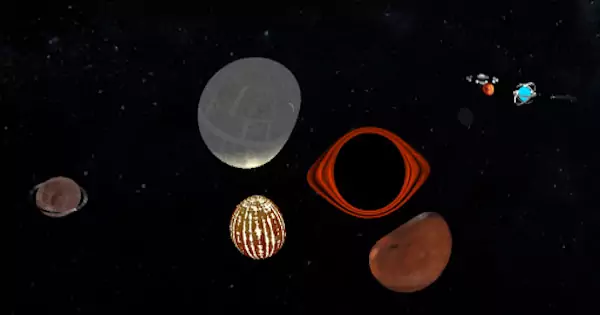
- Another one where I created a more custom space-themed scene: https://github.com/FredericCanaud/ProjetWebGL
But to see the full potential of computer graphics, I highly recommend checking out the Three.js documentation and examples. ;)